


the problem
File 002 · Scene 01
A user interview gets two people. A therapy session gets one.
In a user interview, the standard advice is to split the work: one person runs the conversation and another takes the notes, so the person asking can really listen. A therapist does both at once, with one client after another, and what's at stake is someone's well-being rather than a product decision. This project asks what AI could take off that load without taking over the judgment the session depends on.
This isn't a set of static screens. The prototype is live: start the session and the conversation plays out in real time, with the assistant responding as it goes. It is built for a laptop-sized screen or larger.
My deck called the problem two sides of the same coin. People can find it hard to understand and express what they're going through. And the person across from them has to listen, process, assess and respond in the moment, while keeping track of progress, homework and treatment plans for every client they see.
- 3–6clients a day
- An average full-time therapist, from the reading I did for the course. A working figure, not something this project measured.
- 20–25clients a week
- Same source, same caveat.
task analysis
File 002 · Scene 02
Mapping both jobs, and marking the assumptions as assumptions.
A therapist can't bring a second person into the room, so what would that person's job look like as software? To answer that, I first needed to see the whole job, from both sides of the session.
I started with a Jobs-to-be-Done canvas from each side. The client's main job is to resolve concerns and behaviours in their life. The therapist's is to facilitate the client's personal transformation and well-being. Both canvases carry the same label: low confidence, completely assumptive. This was a course project and none of it was validated with therapists, so the label stayed on.
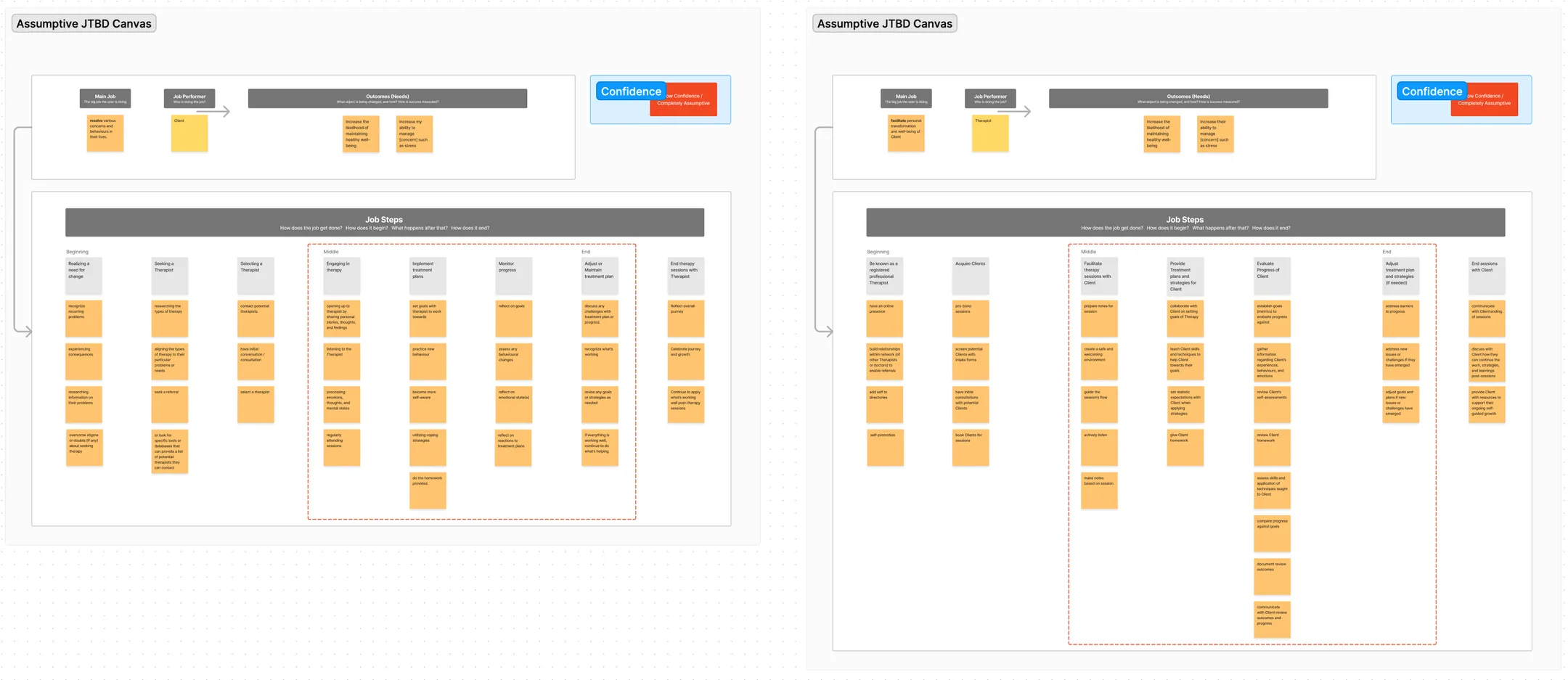
To avoid scope creep, I kept to the middle of the therapist's job: facilitating the session, then providing treatment plans and strategies. A loose task analysis then put client and therapist in two lanes, with a hand-off wherever one depends on the other.
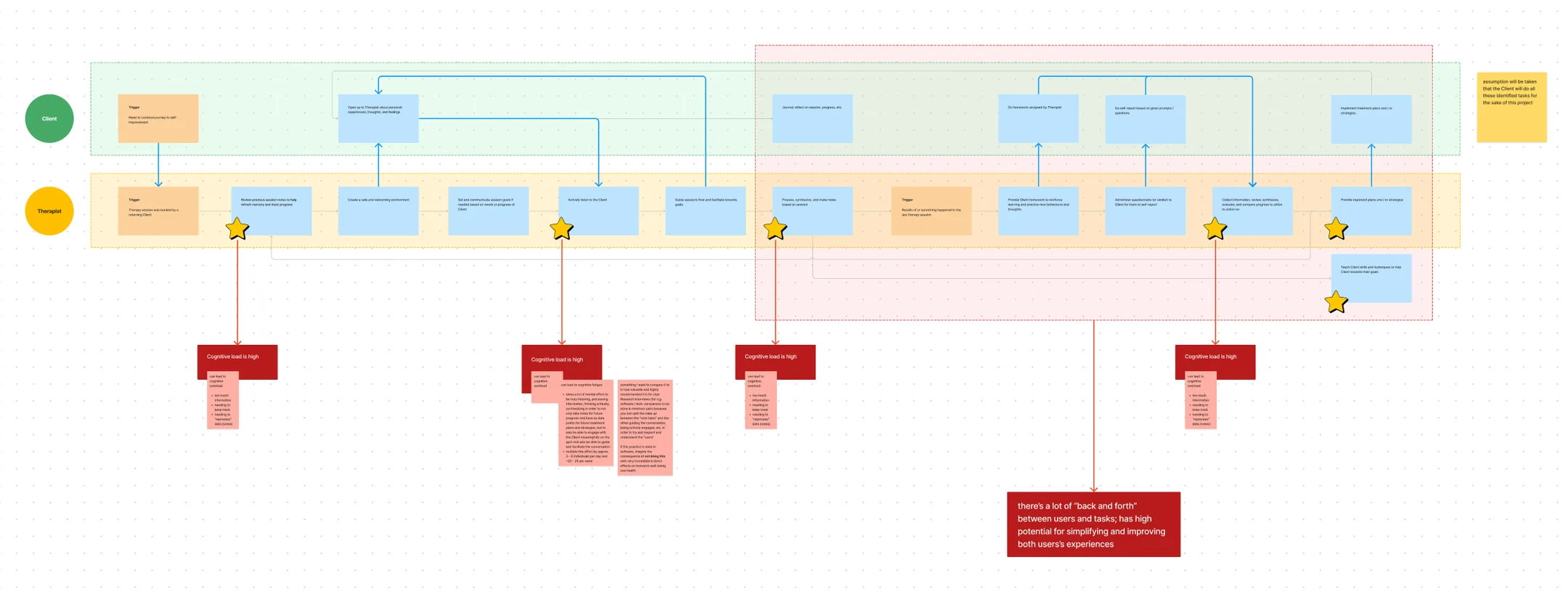
I starred six of the therapist's tasks and flagged four as high cognitive load: reviewing earlier notes, actively listening, processing and writing up the session, and pulling progress together to act on. After the session especially, the work goes back and forth between the two of them, which is where the map shows the most to simplify.
Active listening is the task I thought AI could help with most. Doing it well means listening, processing, thinking critically and synthesizing, to take notes that later treatment plans will rely on, while also engaging with the client on the spot and guiding the conversation. That can tip from overload into fatigue, and it repeats with every client that day.
design
File 002 · Scene 03
The screens came together in steps, and the hard questions stayed in the file.
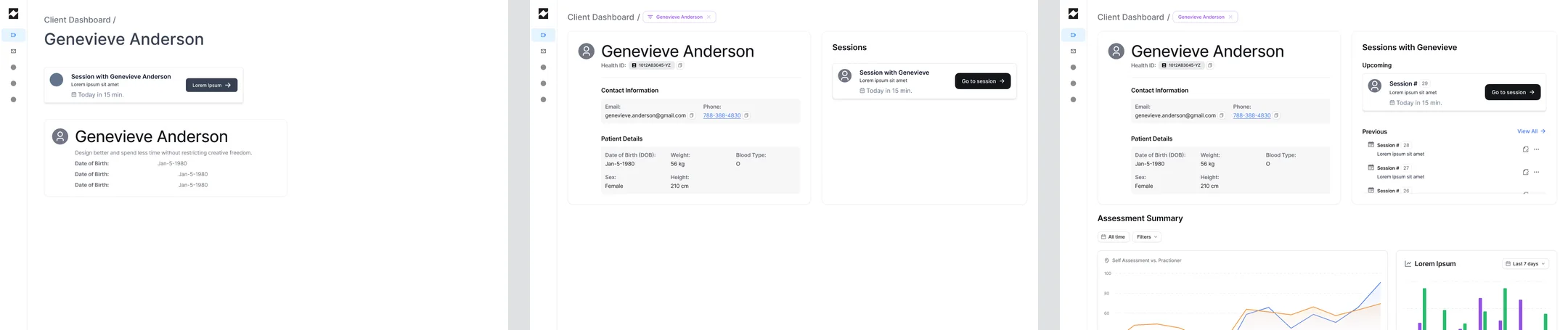
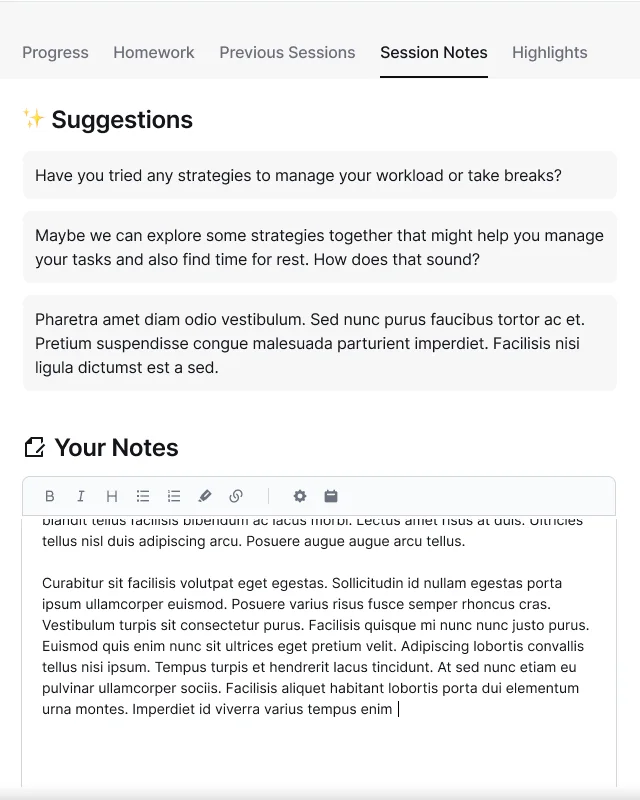
In Figma the client's dashboard came first, then the session room: video and transcript on one side, a panel of tabs on the other. These are working frames, placeholder text included.
I kept design notes beside the frames. They're questions as much as decisions:
- The transcript should move like a teleprompter. If the text runs to the very bottom of the panel while someone is talking, it looks like there's more below. Leave space after the latest line and it reads as still in progress.
- Suggestions should know when they've been used. If a question gets asked in the session, the assistant could clear it from the list by itself. Maybe it shows one at a time so it isn't distracting, and brings back one that was missed if that still makes sense.
- Should the other tabs be off during a session? My first answer was yes, because looking at other information pulls attention from what's being said. But that could also hide something useful, like the homework. So maybe they stay open, and the assistant brings up the relevant information at the right moment.
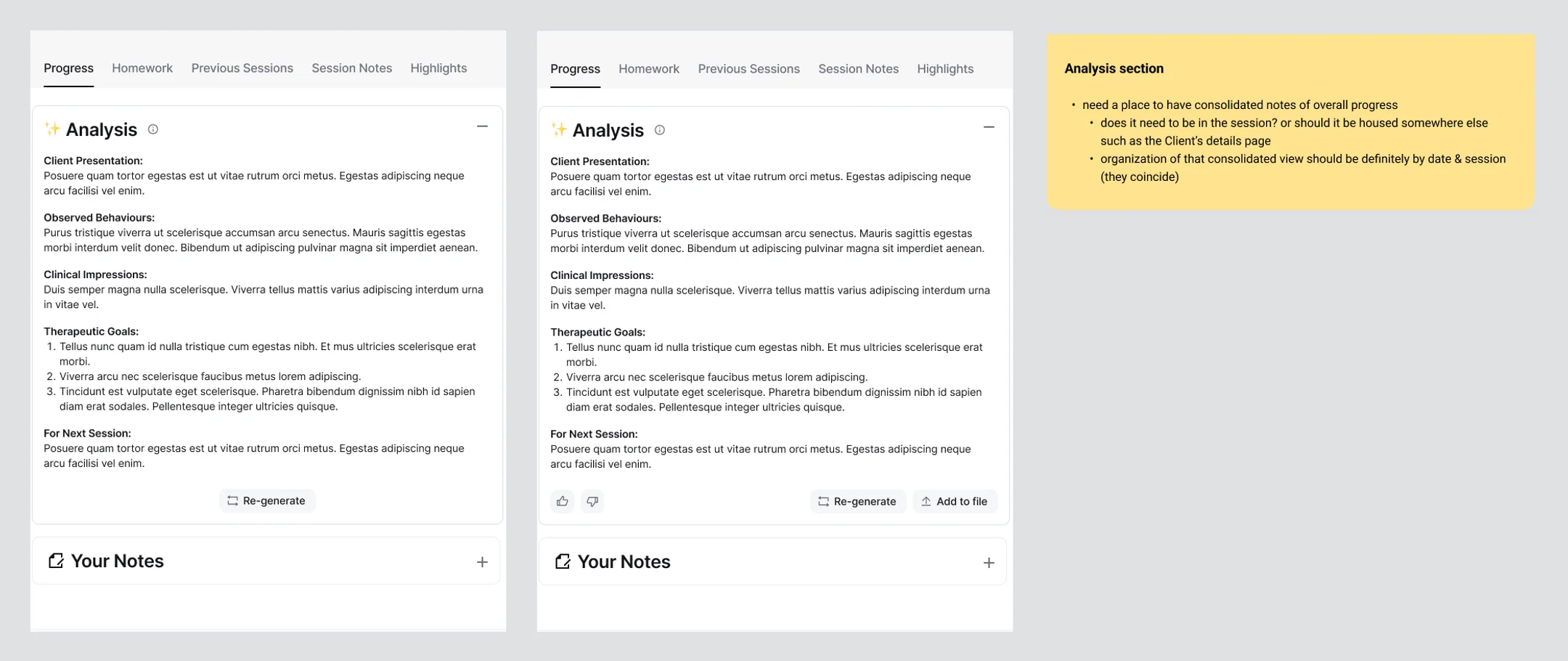
- Where does the overall picture live? A therapist needs one place for consolidated notes on progress, organized by date and session. Does it belong in the session, or on the client's details page?
before the session
File 002 · Scene 04
Start from the client's record, not from memory.
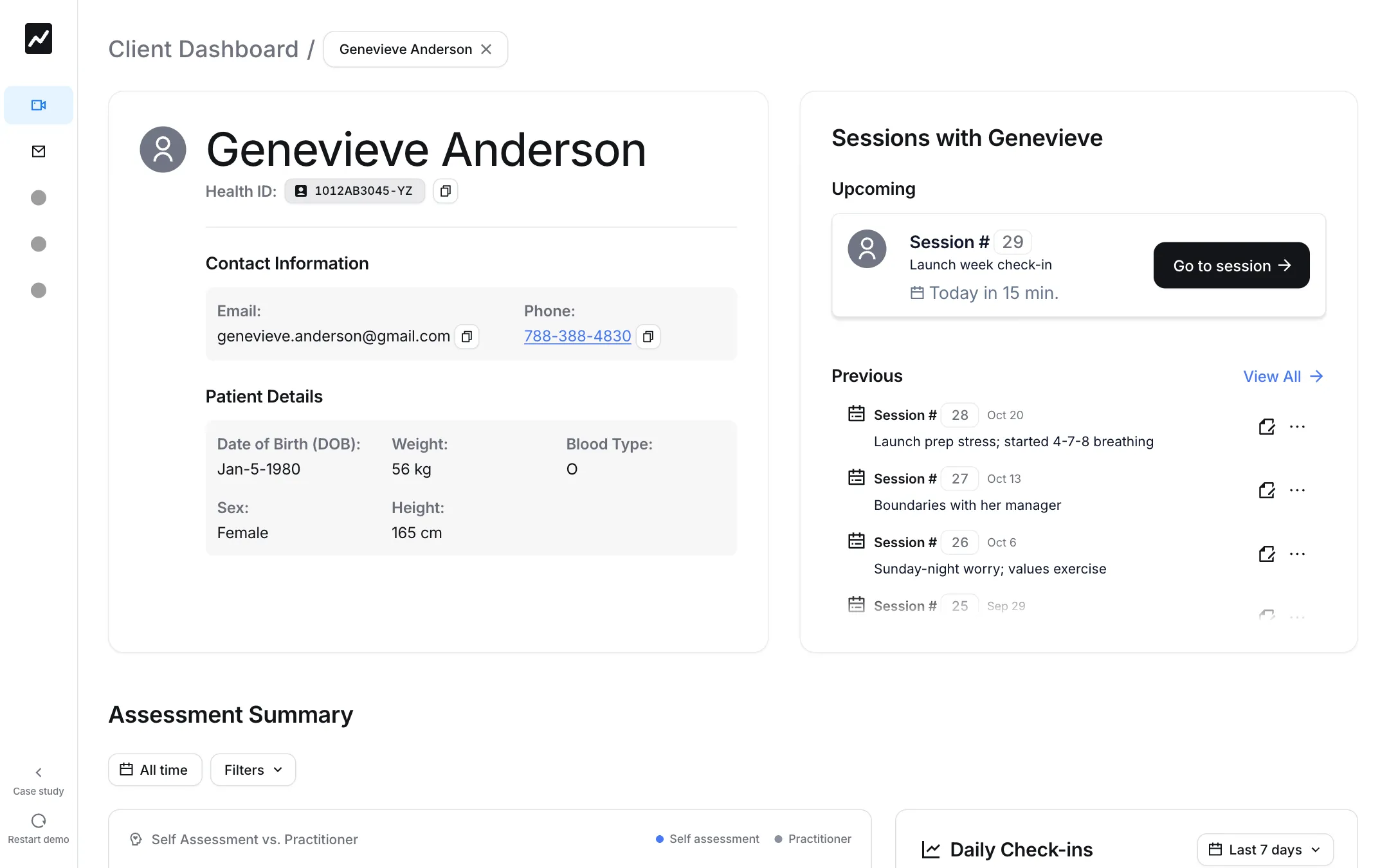
This is the first task I'd flagged: reviewing earlier notes to refresh your memory and track progress. The dashboard opens on the client rather than the calendar: their details, the upcoming session, and a one-line summary of each of the last five, so last week's thread is in front of the therapist before the client is.
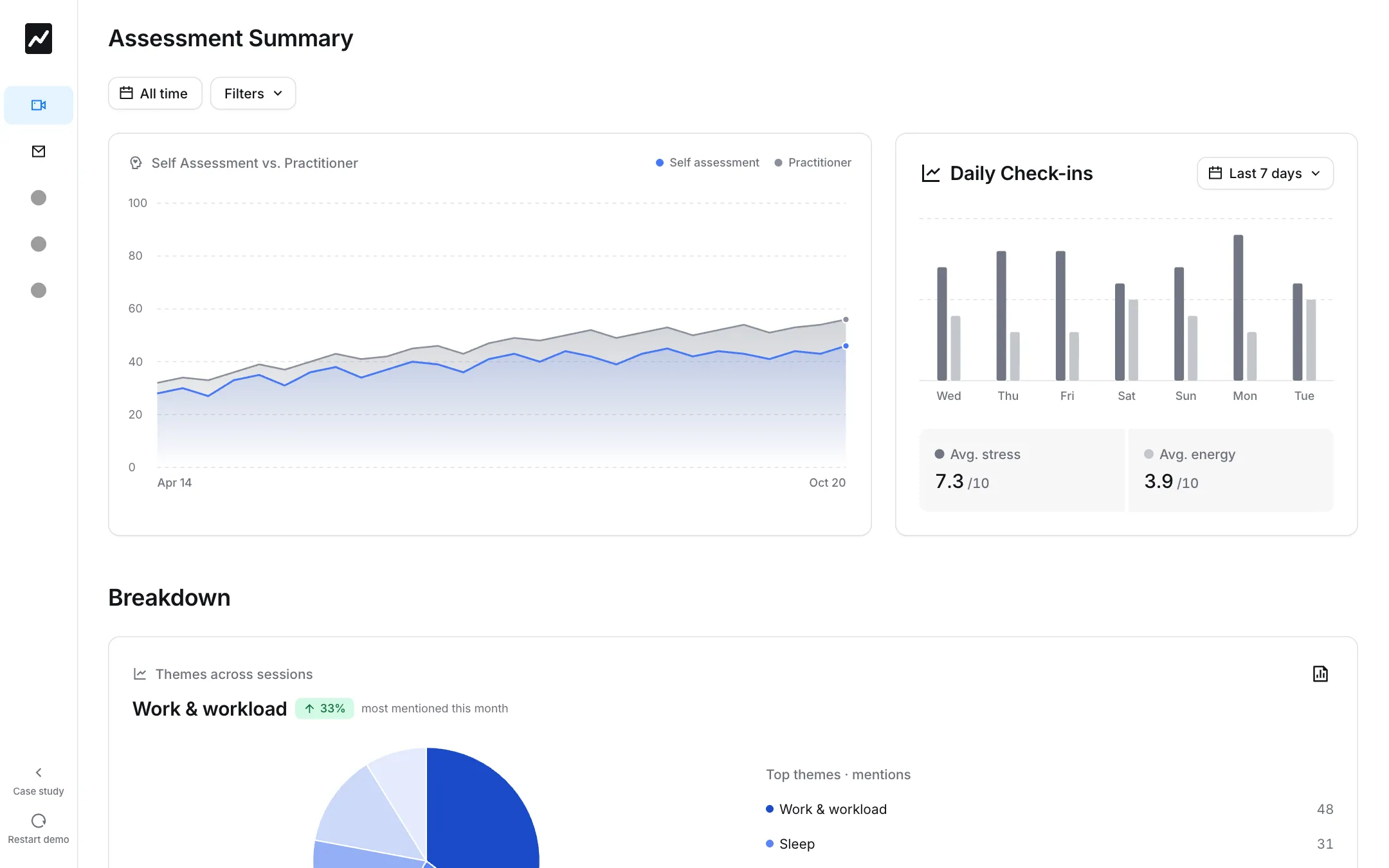
Below it, the assessment summary sets two views of progress side by side: the client's own well-being score and the practitioner's, session by session. The gap between the two lines is information in itself, so neither is allowed to stand in for the other. The week's check-ins and the themes that keep coming up sit alongside.
during the session
File 002 · Scene 05
Suggestions that show where they came from.
Once the session starts, the assistant transcribes the conversation, which is the note taker's half of the job. As it moves, the assistant offers three questions the therapist might ask next, each labelled with the move it makes (follow up, reframe, explore a belief) and with its source: a timestamped quote from the client, or one of the goals on file.
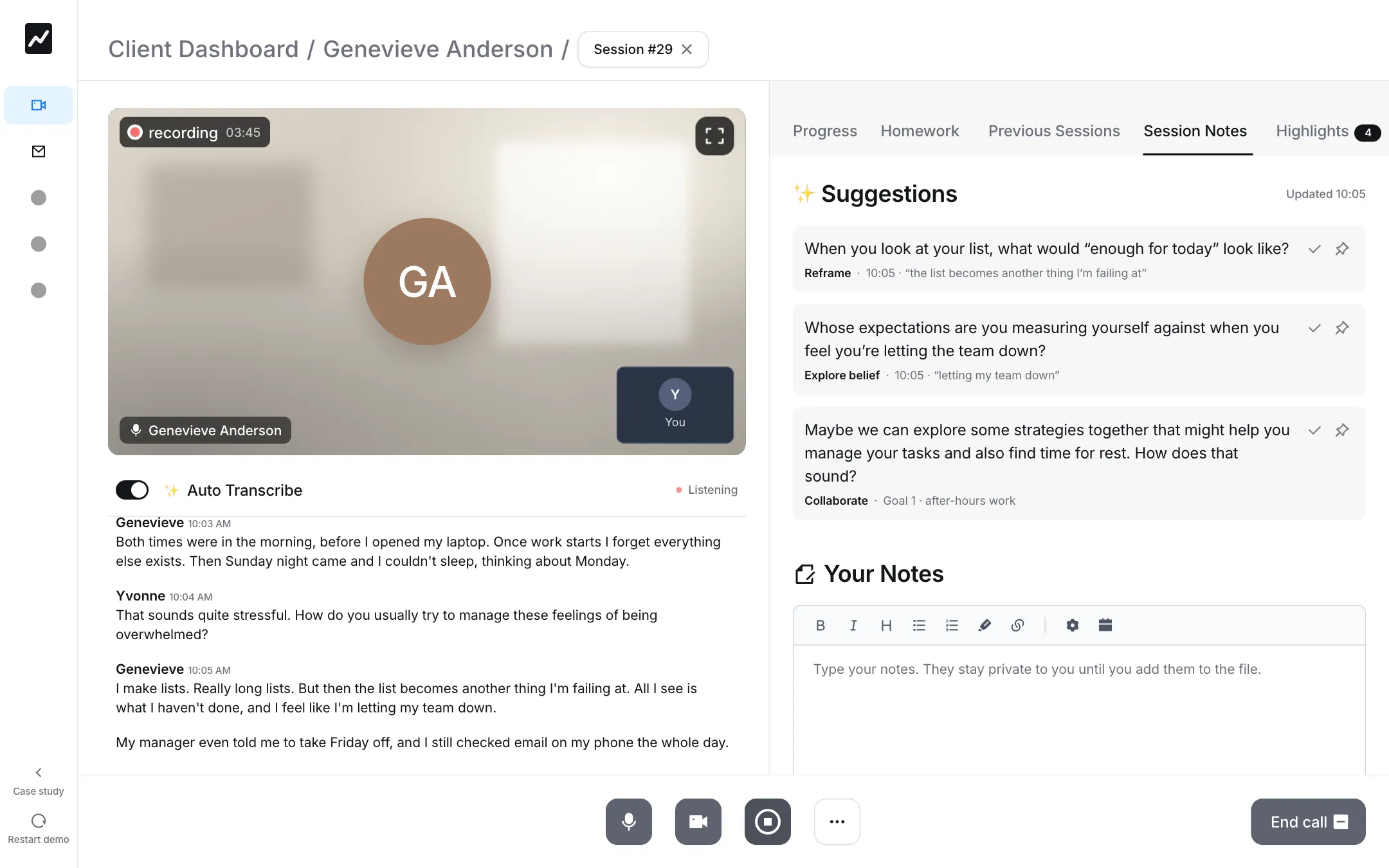
Every choice in this screen is about keeping the therapist's judgment visibly in charge:
- A source on every suggestion. A therapist can't weigh a suggestion they can't trace. Showing the quote behind it lets them judge it in a second, and catch the one that misread the moment.
- Suggestions are optional, and quiet. A suggestion can be marked as asked, pinned to the notes, or ignored. None of them interrupts the conversation.
- Key moments are tagged as they happen. A trigger, a pattern, an insight: each is collected under Highlights with its timestamp, so finding it later doesn't mean rereading the transcript.
- Transcription is always visible, and can be switched off. The switch and its status sit above the transcript, not in a settings menu.
- The therapist's notes stay theirs. What they type is private until they add it to the client's file.
In the 2024 Figma, a suggestion was just the question. The source underneath it, and marking one as asked or pinning it, came in with the clickable build.
after the session
File 002 · Scene 06
A draft, never a record.
When the session ends, the recording and transcript are saved and the assistant drafts the session analysis in a clinical structure: presentation, observed behaviours, clinical impressions, goals, and a plan for next time. Homework is suggested the same way, each item tied to the moment it came from.
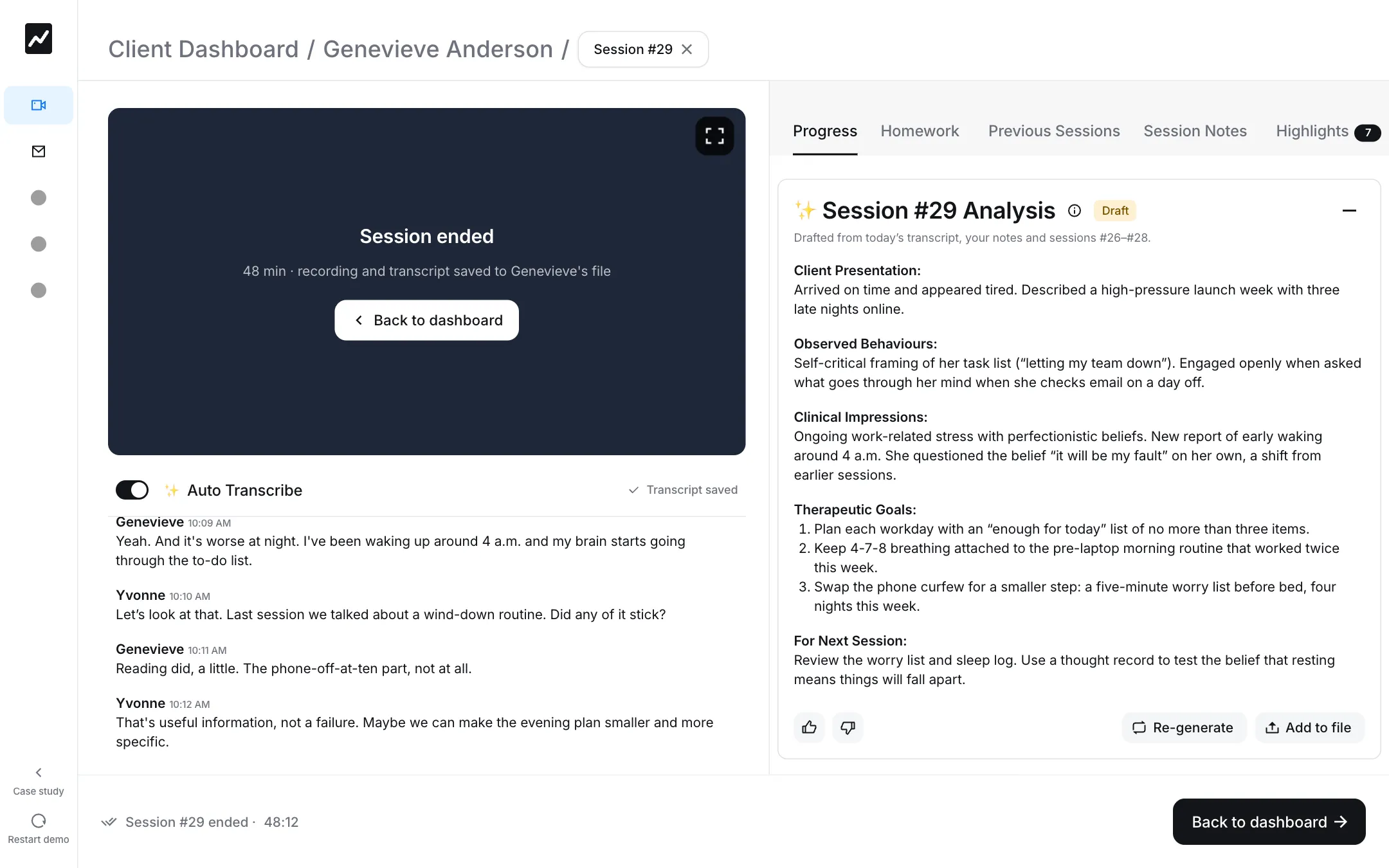
The analysis is labelled a draft, and that is the point. The therapist can rate it or regenerate it, and it becomes part of the client's file only when they choose Add to file. The assistant writes the first version; the therapist signs the record.
privacy and ethics
File 002 · Scene 07
In a therapy product, the record belongs to the client.
A product like this needs personal and health information, so that a therapist, and potentially other doctors, can understand a patient's overall health. That puts it under real obligations: HIPAA, GDPR if it expanded to the EU, and AICPA SOC certification, to name the most important. My position in the deck was that the client should own their data, and be able to opt out or have it deleted from the system entirely.
The deck's slide on bias and ethical AI named the bar it would have to clear, fair, accountable and transparent, without yet working out how. For a real product that would be the next piece of work, along with talking to therapists.